Your whole trip,
planned in minutes
A complete day-by-day itinerary — real sites, opening hours, travel times and a proper budget — that works with no signal once you land.
- Free to download
- No account needed to look around
- Works fully offline
Don’t want an app?
Plan your trip in the browser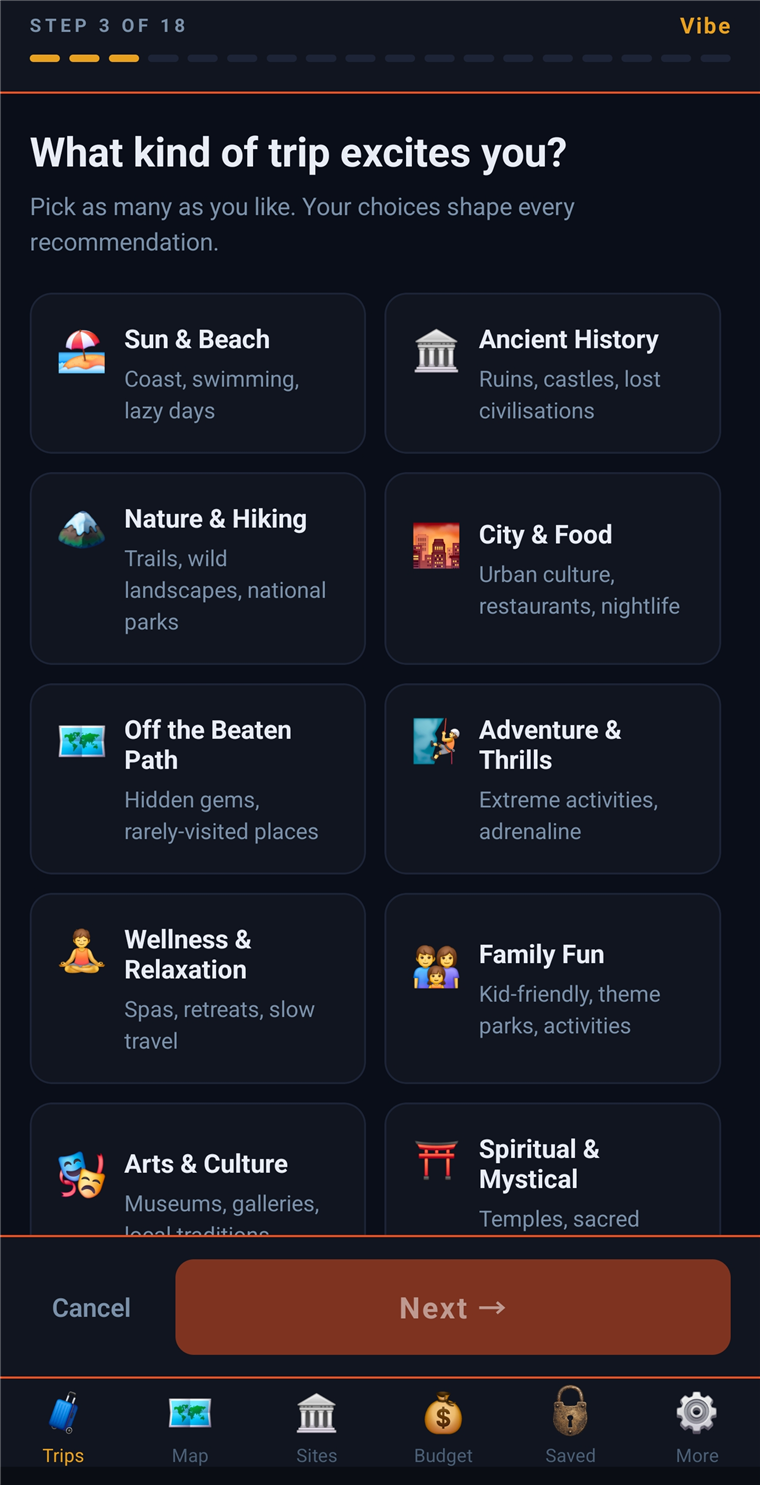
From a blank map to a trip in your pocket
- 1
Answer the questionnaire
Where you're going, how you travel, your pace, your budget. Then three trip ideas come back in about a minute.
- 2
Pick one and build it
Real sites in the right order, with opening hours, entry costs and travel times. Building takes around ten minutes per week of travel — you can close the app and come back.
- 3
Take it offline and go
Maps, days and details all live on your phone. No signal, no roaming, no problem.
Vagaplan comes out of The Bearded Vagabond — years of real trips, filmed and written up for over 100,000 travellers. Every itinerary is structured the way I plan my own: real sites, honest costs, and enough slack in the day to actually enjoy it.
What you get once it’s built
Build a trip
Tell us your vibe
Answer the questionnaire — your trip type, where you're headed, your pace — and get a complete itinerary built around how you actually travel.
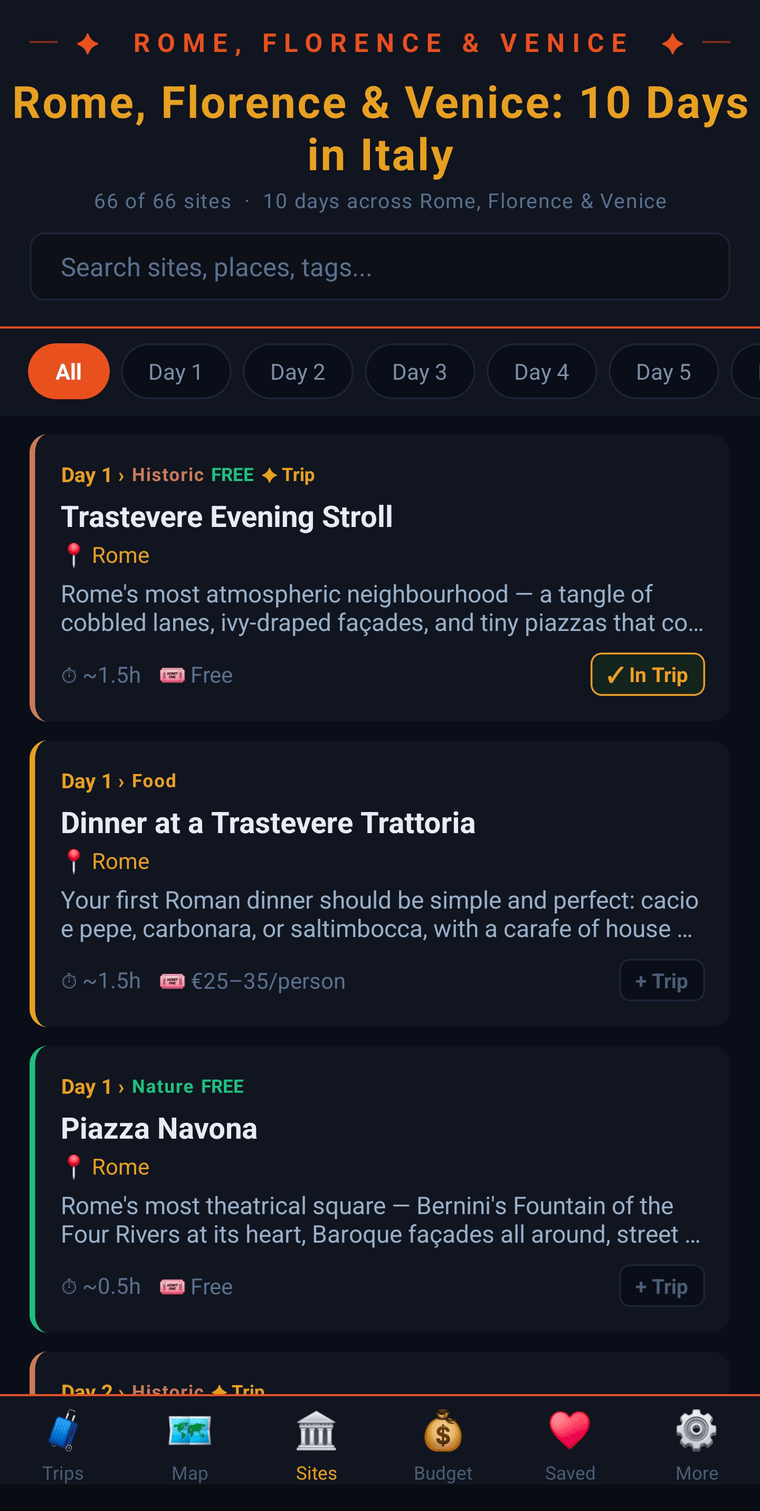
Day by day
Every day, mapped out
The right sites in the right order, with opening times, tips and costs — organized day by day so you always know what's next.
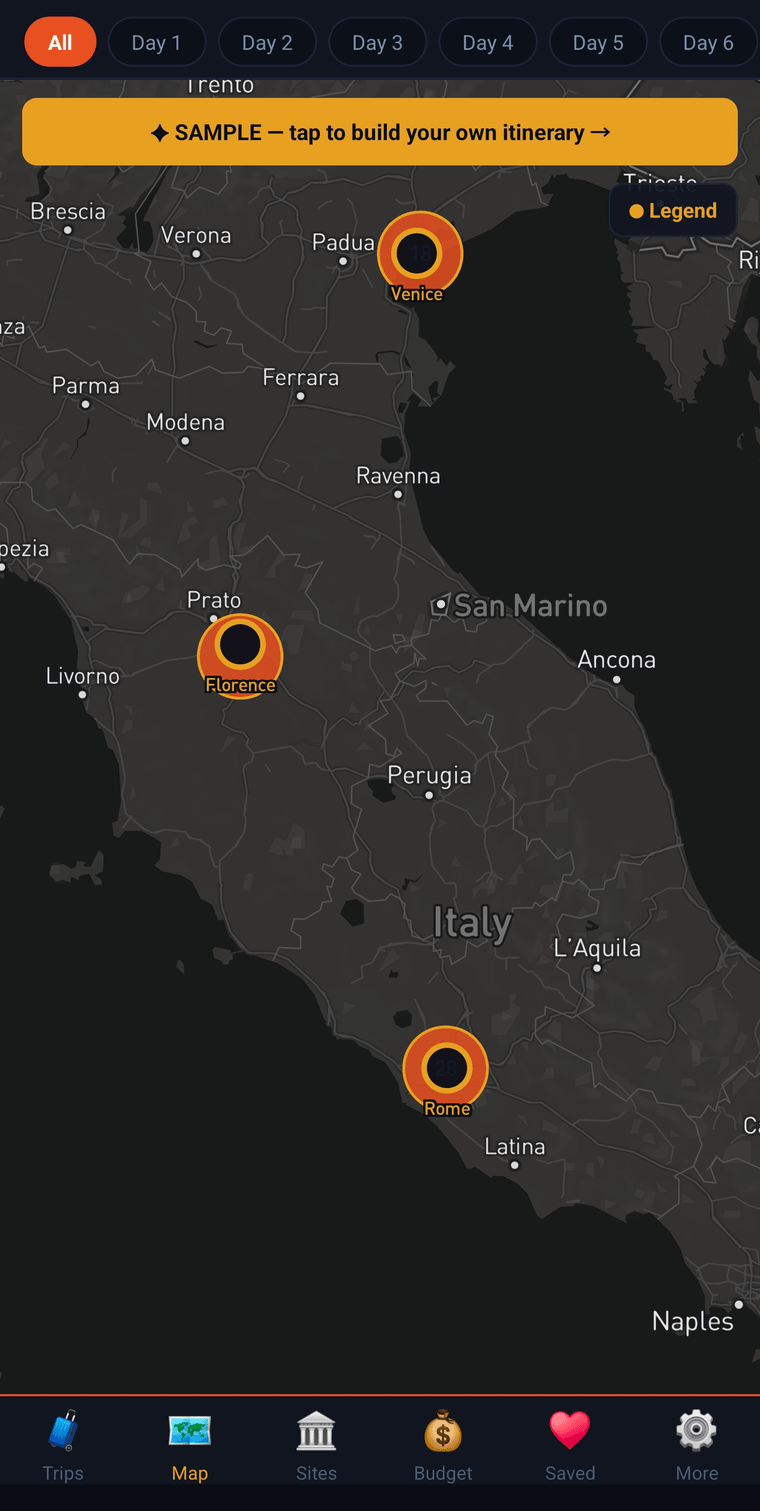
On the map
See it all on the map
Every stop pinned by day. Download the map so your whole trip — pins, days and details — works with no signal. Tap any stop to open directions in Google Maps.
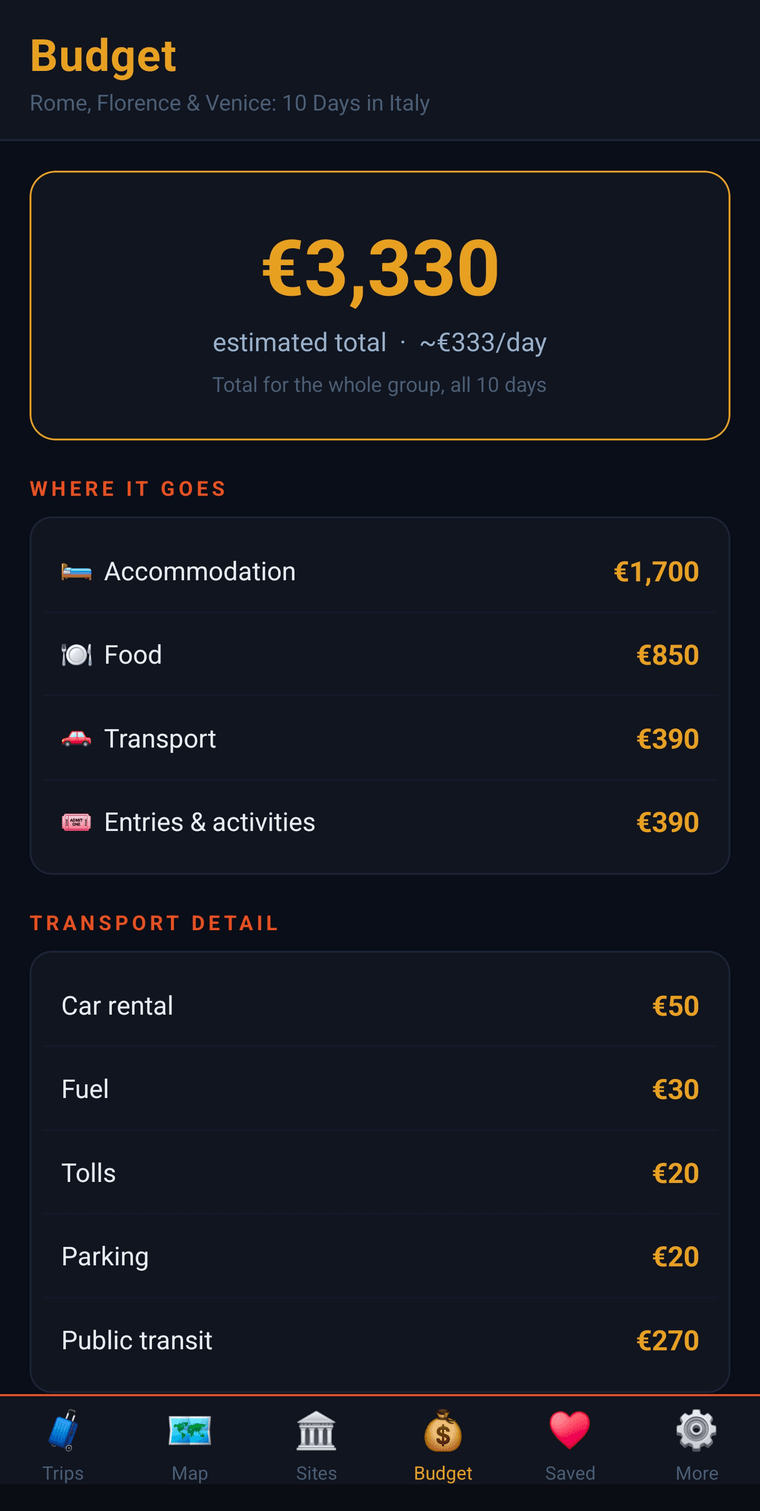
Real budgets
Know the cost up front
A clear budget by day and by category — accommodation, food, transport and entries — so you can plan with confidence. Figures are researched estimates (we lean a little high), not exact prices.
Get it on your phone
The parts you only appreciate once you’re there
Once your trip is built, the whole thing lives on your phone — no signal needed.
Pet entry rules, pet-friendly stays and transport, built in.
Browse real finished trips before you build your own.
Export your whole itinerary to a clean PDF.
Send a trip to friends travelling with you.
Your tokens work on the website and in the app.
What it costs
Free to download. Pay only when you build.
Browse sample trips and look around for nothing. When you want a full itinerary, one token plans a week of travel — from $2.50. No subscription required, and tokens work on the website and in the app.
Is the app free?+
Yes — downloading Vagaplan and browsing sample trips is free. You only pay when you want a full day-by-day itinerary built: one token covers a week of travel, from $2.50.
How long does it take to build a trip?+
The questionnaire takes a few minutes. Three trip ideas come back in about a minute. Building a chosen idea into a full day-by-day itinerary takes roughly ten minutes per week of travel — so about ten minutes for a week, twenty for a fortnight. You can close the app while it works; it finishes in the background and lands in My Trips.
Does it really work with no signal?+
Yes. Once a trip is built you download it — days, stops, opening hours, costs and the map all live on your phone, so it works on a plane, in the mountains, or anywhere you'd rather not pay for roaming.
Which destinations does it cover?+
Any country in the world — big-name destinations, off-the-beaten-path regions, and multi-country routes.
Is there an iPhone version?+
Yes. Vagaplan is free on the App Store for iPhone and on Google Play for Android. One account works on both, and on the web, so your trips and tokens follow you.
Plan your next trip tonight
Free on the App Store and Google Play.
Or build it in your browser — same trip, same account, nothing to install.
Already bought a trip on Vagaplan?
- 1Install the app and open it.
- 2Tap “Add a trip”.
- 3Enter the claim code from your itinerary page or your “itinerary ready” email (it looks like VGP-K4T9W2).
Your trip downloads once, then everything works offline. Questions? vagaplanapp@gmail.com